
Compose a sheet
Describe the sound. Contour finds the landscape.
Set five musical intentions—brightness, contrast, breath, depth, and range. Contour searches 4,845 four-corner combinations, shows where the result compromises, and bakes a new playable map.
Composing lives in the SHEET tab at the bottom of the screen, and is part of Contour Pro.
Choose a character. Move five focused controls instead of browsing hundreds of presets:
BRIGHT,CONTRAST,BREATH,DEPTHandRANGE.Compare the fit. Hear each candidate as you move, and see the match, stress, shared pitch range, and excluded combinations.
Bake and play. Tap
BAKE. Your sheet is saved on-device and is available inside the Audio Unit.
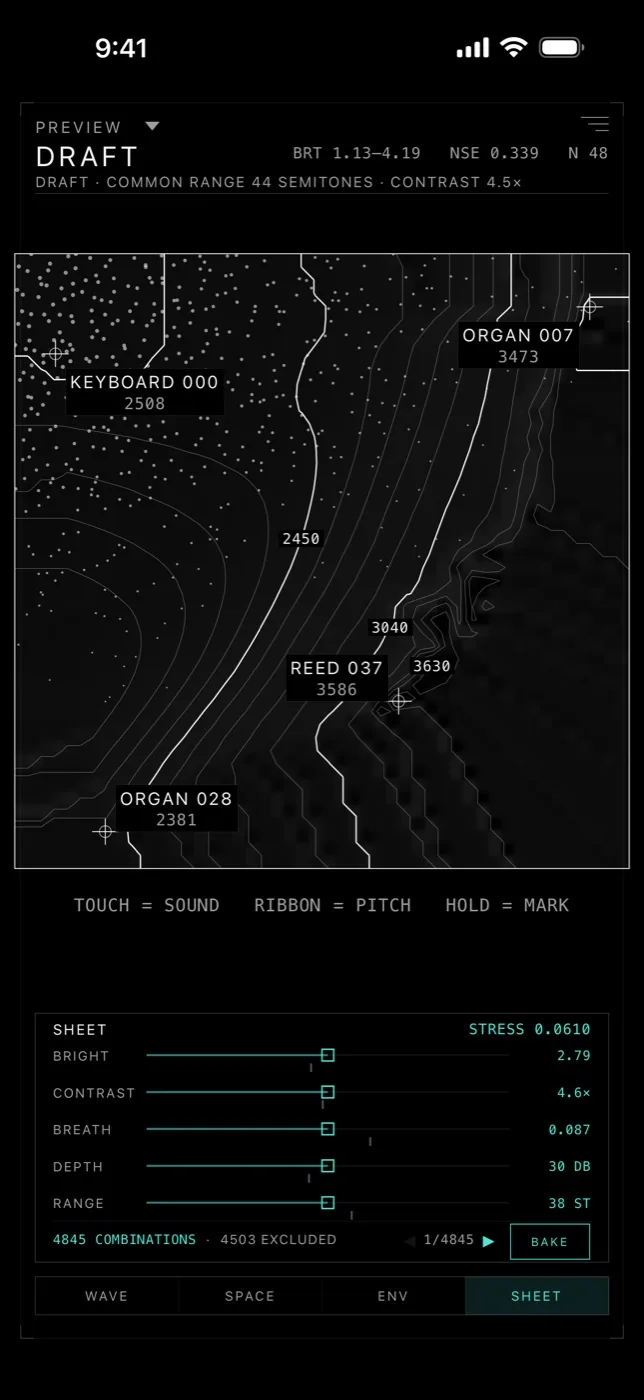
SHEET panel with a draft map above it.Related
Still stuck? Write to zhi@nonoaudio.com. Support page