
Export.
Bounce the loop to a stereo WAV, or to a MIDI file that drops into your DAW.
Tap the share icon in the top bar, choose a length, and render. The bounce renders exactly what you're hearing — custom kits and imported samples included, muted lanes left out, soloed lanes alone. Export is part of Orbeat Pro.
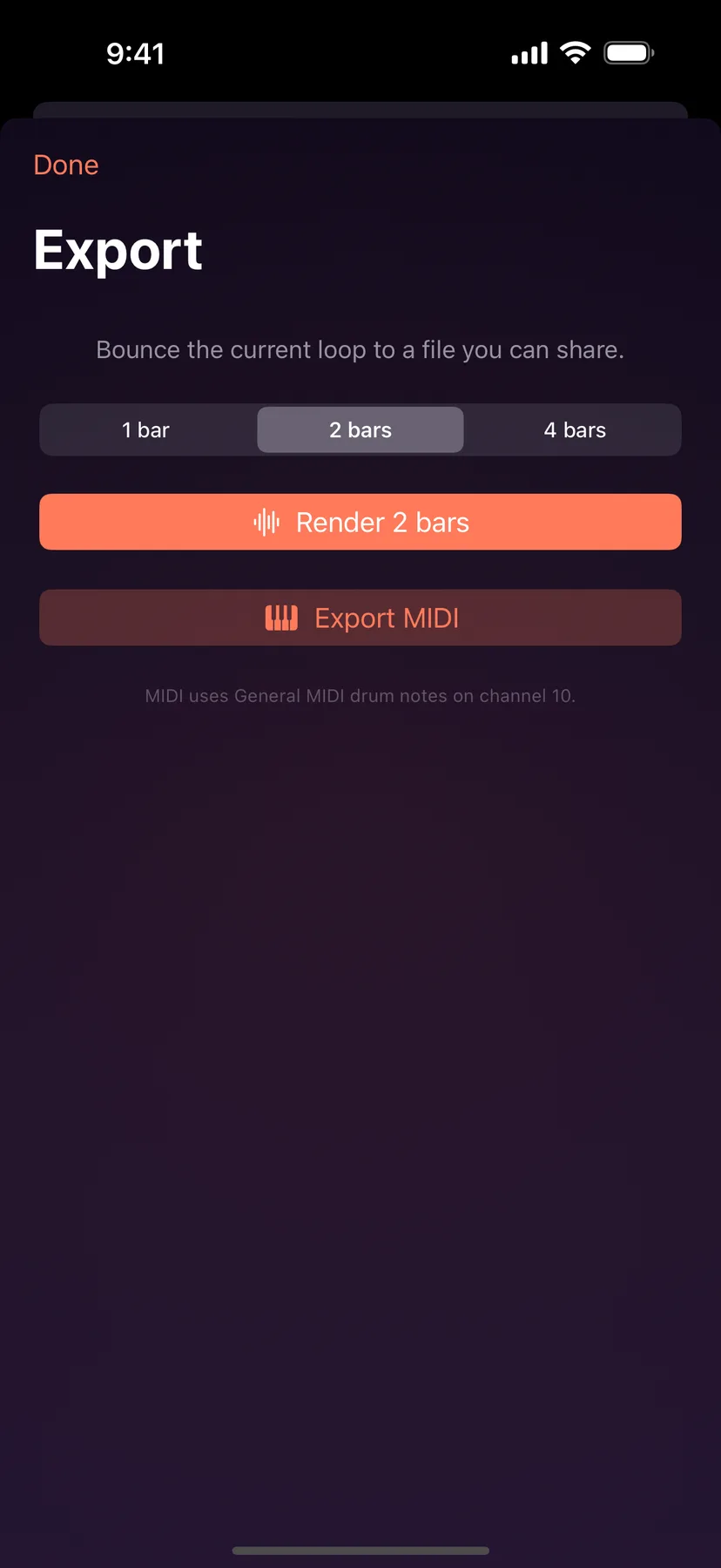
Pick 1 bar, 2 bars or 4 bars. Both files start from step 1 of the pattern you're on, whatever the playhead is doing.
When the lanes' lengths only line up again after more than one bar, a fourth choice appears: Full · N. It runs one complete cycle, N bars long, so the loop actually loops. A polymeter groove can take a long time to come round; a full cycle can be exported if it lasts 90 seconds or less at the current tempo. Past that, the choice shows ✕ and Orbeat tells you how long the cycle would be. Pick a shorter length, or raise the tempo.
Render 2 bars (the label follows the length you picked) bounces a stereo WAV, 16-bit at 48 kHz. When it's done, the button becomes Share WAV: send it to Files, AirDrop, or straight into another app.
The file is named after the beat, its length and its tempo:
orbeat-Midnight-Drive-4bar-124bpm.wav
A WAV file has nowhere to keep a tempo, so the filename is the thing that tells your DAW, and you, three months from now, how fast the loop runs. A beat you haven't named leaves its name out: orbeat-4bar-124bpm.wav.
Export MIDI writes a standard MIDI file with the tempo in it, named the same way with .mid, then becomes Share MIDI. Every lane lands on the note and channel set on its MIDI tab. Out of the box that is a General MIDI drum note on channel 10, so it hits the right pad in whatever you open it with. If you changed a lane's note or loaded a MIDI map, the file uses yours.
Your swing, velocity, probability rolls and polymeter phases all come across exactly as you hear them. Probability rolls fresh on every export, so two exports of the same pattern can differ, the same way two WAVs would.
Related
- MIDI & sync.Play Orbeat's lanes from any MIDI controller, send MIDI out, jam in time over Ableton Link, follow an external MIDI clock, and drive it from your DAW.
- Free and Pro.What's free forever, what the one-time Pro unlock adds, and how to restore it on a new device.
- Questions.Export, lanes, your own sounds, sync, Pro and restoring it, where your beats live, plug-in hosts.
Still stuck? Write to zhi@nonoaudio.com. Support page