
SoundMess Lab
Sound measurement for iPhone & iPad
An SPL meter, real-time analyser and FFT that show you which frequencies a phone mic can be trusted on.

Free to start. SoundMess Lab Pro is a one-time purchase with Family Sharing, no subscription.
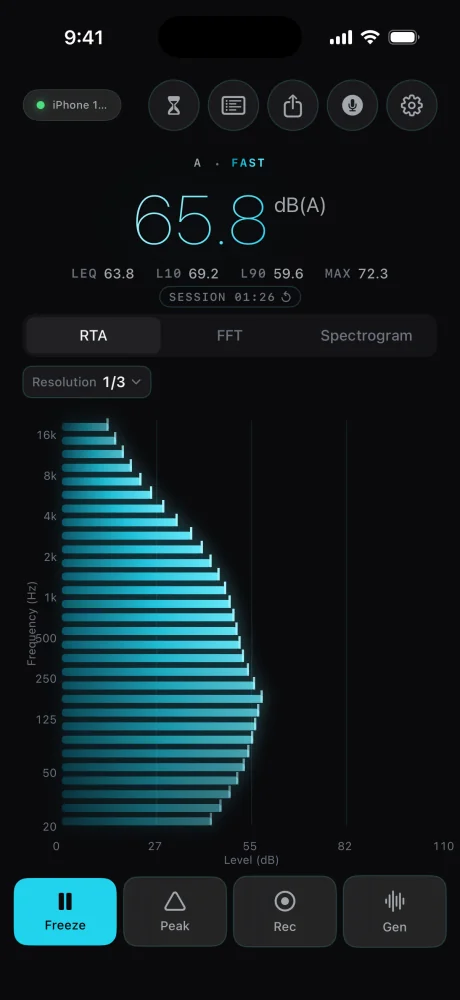
In SoundMess Lab every band is drawn as bright as the mic can be trusted.
Most sound apps are built for the spike: a big needle, a red zone, a number for how loud the concert was. I wanted one for the work, like reading a room, checking a speaker or watching a decay. So SoundMess Lab is one calm screen: the level up top, and an RTA, FFT or spectrogram under it, a tap apart.
A phone mic is good from about 500 Hz to 8 kHz. Below 100 Hz and above 16 kHz a reading is for reference only, and that's the hardware, not a bug. Most meters never mention it. The shaky ends come out faded, and the info button lists the ranges.
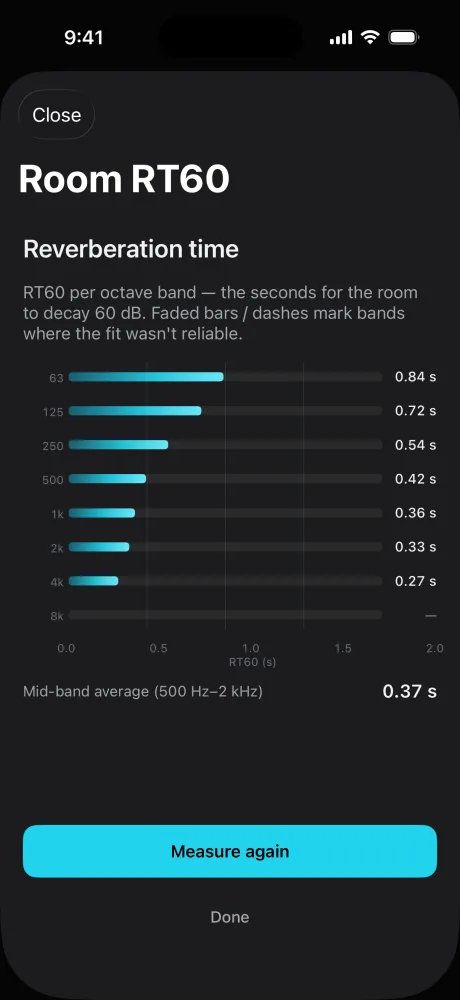
The careful parts are boring on purpose. A, C and Z weighting follow the IEC 61672 curves, and the pink noise is Paul Kellett's filter. RT60 fits a straight line to each band's decay between −5 and −25 dB, the T20 method from ISO 3382-2. A band whose fit isn't clean, or whose decay doesn't stay 10 dB clear of the room's own noise, gets faded or left as a dash.
RT60 also needs a speaker loud enough to fill the room. An iPhone's own speaker can't push much outside the mids, so when that's the output SoundMess Lab measures four bands, 500 Hz to 4 kHz, instead of handing back eight guesses. Connect a Bluetooth or wired speaker and it measures all eight, 63 Hz to 8 kHz. It's a serious listening tool, not a replacement for a calibrated measurement mic, and it says so in Settings.
On iPhone & iPad
RTA at 1/3 octave, free. 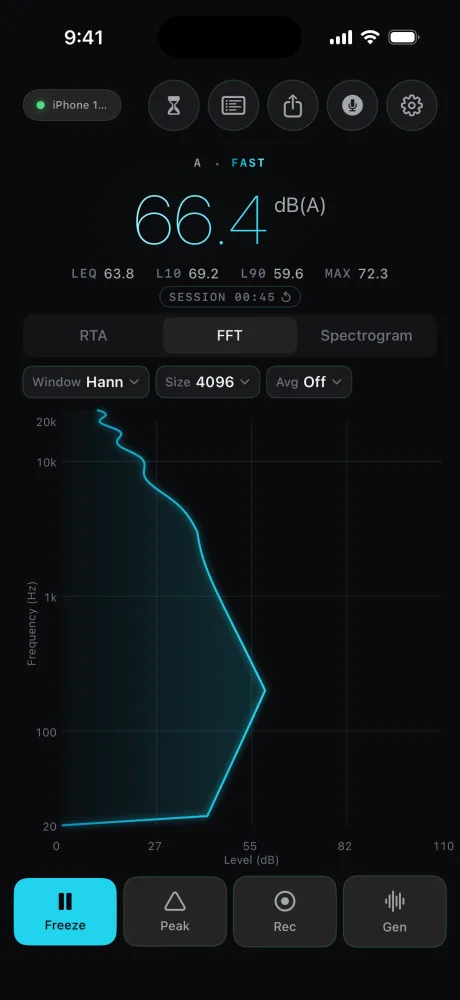
FFT: Hann at 4096. 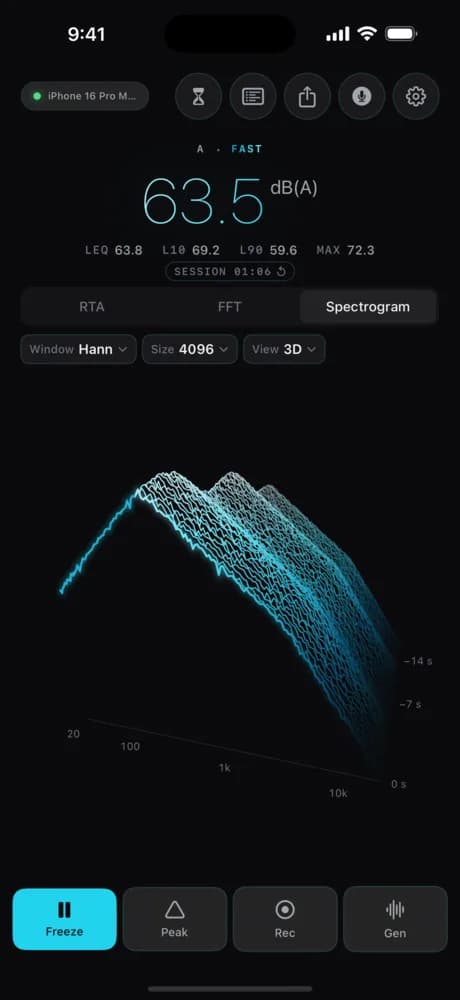
The 3D waterfall, with Pro. Drag to turn it. 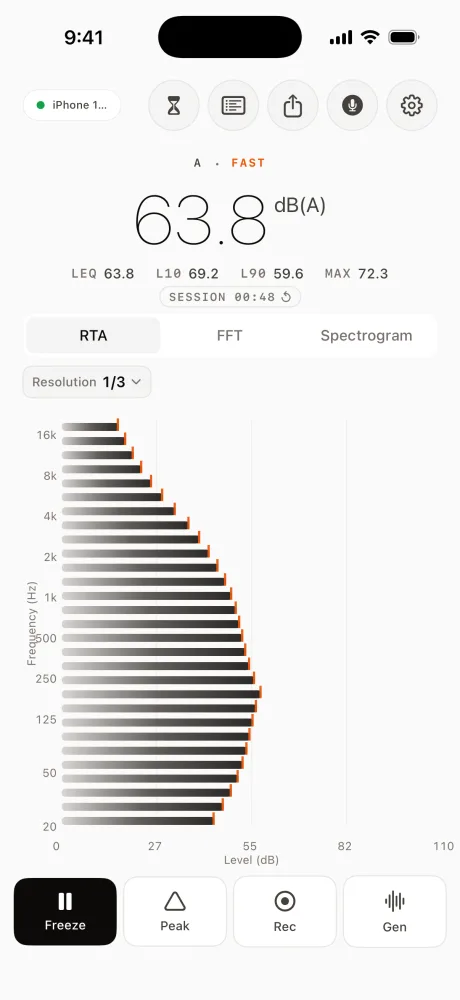
Graphite Safety, one of five free themes. 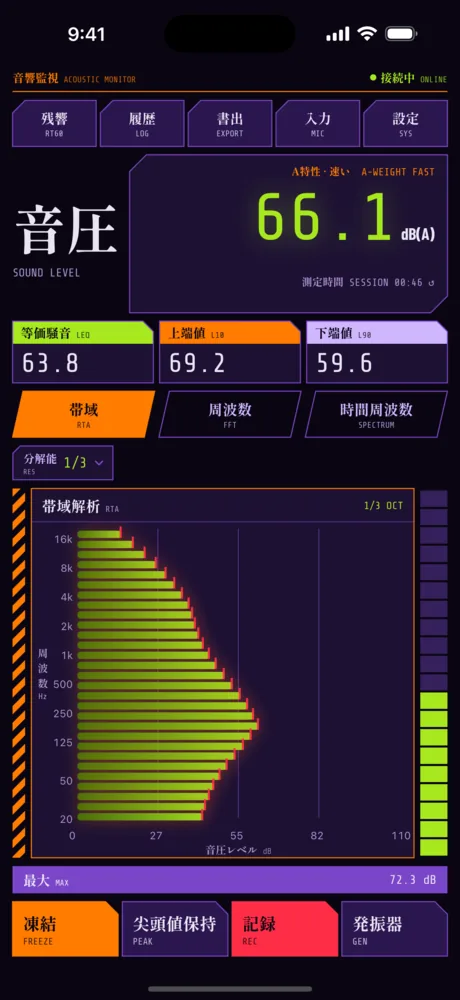
Tactical Violet, the Pro theme with its own layout. 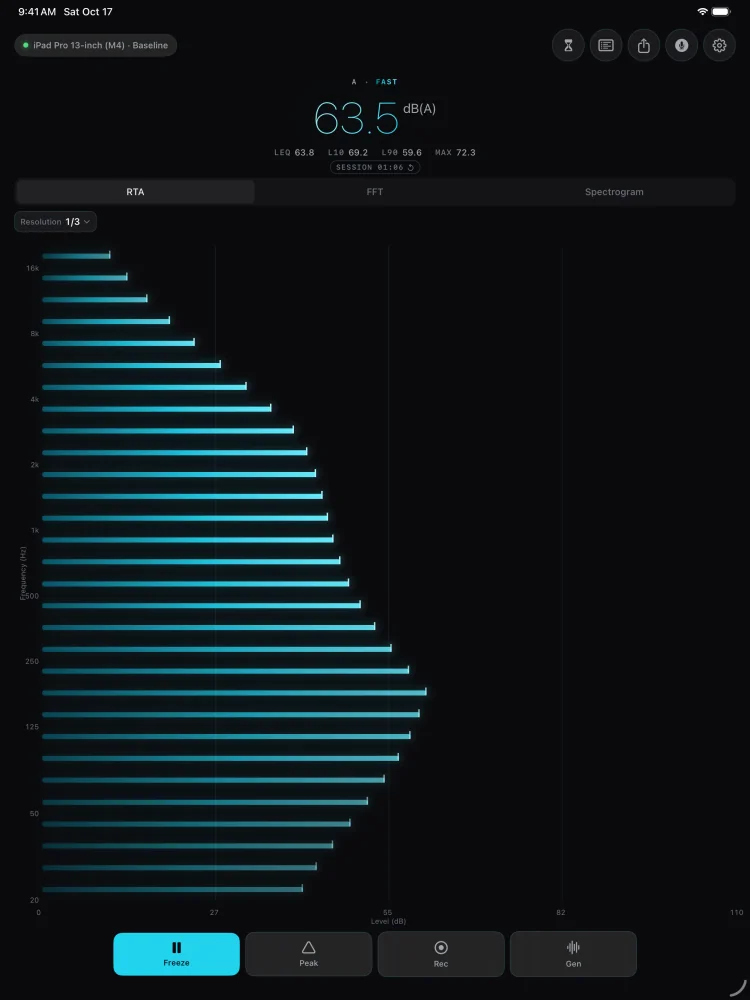
On iPad: the same workbench, with room to read every band.
What each part does
Device pill
Your model, and Baseline or Calibrated. On iPhone it's often cut short; Settings shows it in full.
Tools
RT60, Recordings, Export, Measurement info, Settings.
Level
Live level with its weighting: A · FAST, dB(A).
Session
LEQ, L10, L90 and MAX. Tap SESSION to start over.
Views
RTA, FFT and Spectrogram. On iPhone, swipe the chart to switch.
Bands
1/3-octave bands, 20 Hz at the bottom.
Toolbar
Freeze, Peak, Rec and Gen.
Details
- Formats
- Standalone
- Runs on
- iPhone & iPad
- Requires
- iOS & iPadOS 17 or later. Needs microphone access; works fully offline.
- Price
- Free to start. SoundMess Lab Pro is a one-time purchase with Family Sharing, no subscription.
- Version
- 1.1.0
- Updated
Free to start. Pro is a one-time purchase, no subscription.
Get SoundMess Lab
More from nono.audio


SoundMess Lab