

Leganote
Chord chart app for iPhone, iPad & Mac
Write a chord chart, then play along: handwritten lead sheets, a backing band, A-B loops and fingering diagrams, kept in your own iCloud Drive.


Free to start on iPhone and iPad. Leganote Pro is a one-time $5.99 unlock with Family Sharing. The Mac app is a separate $5.99 purchase with everything included.
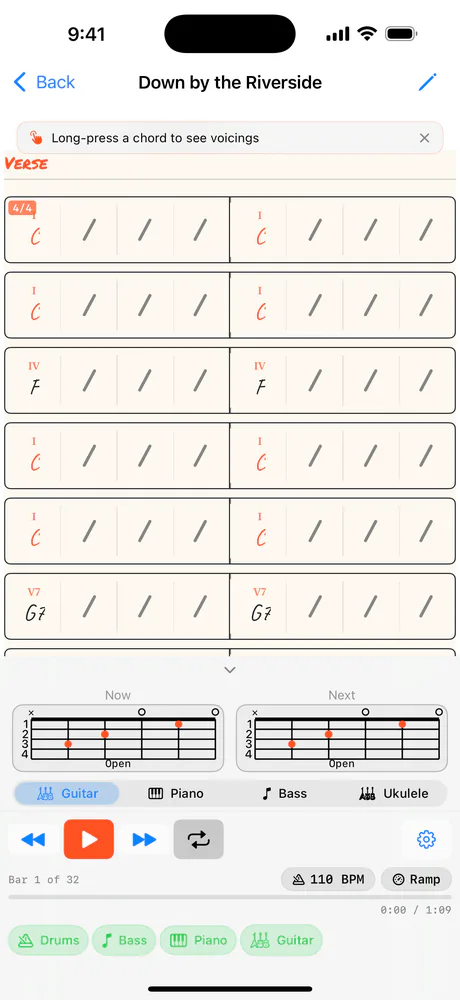
Leganote is the chord chart app I wished existed.
I wanted a lead sheet I could practise with, that I'd pay for once, with files that stay mine. So your songs sit in a Leganote folder in your own iCloud Drive, because there's no Leganote server. I genuinely don't have one.
I mocked up four looks for the chart. A plain modern grid had no score feel at all. A full Real Book page, cream paper and marker chords, looked like the apps I was trying to get away from. So the shell stayed modern and only the chart turned handwritten: chords in Caveat, section names in Permanent Marker, cream paper in light mode and ink in dark.
Search knows what a chord symbol is. The search index has its own tokenizer that is case-sensitive and keeps # inside a word, so Bbm7 is never confused with Bbmaj7, and C#m7 is one chord, not a C and an m7.
And the player follows the road map, not just the bars. It takes the repeats, plays the 1st ending on the way round and the 2nd on the last pass, and jumps for D.S. and D.C. al Coda. Tempo Ramp counts the loops as they come round and steps the BPM up, so you can walk a stuck passage up to speed.
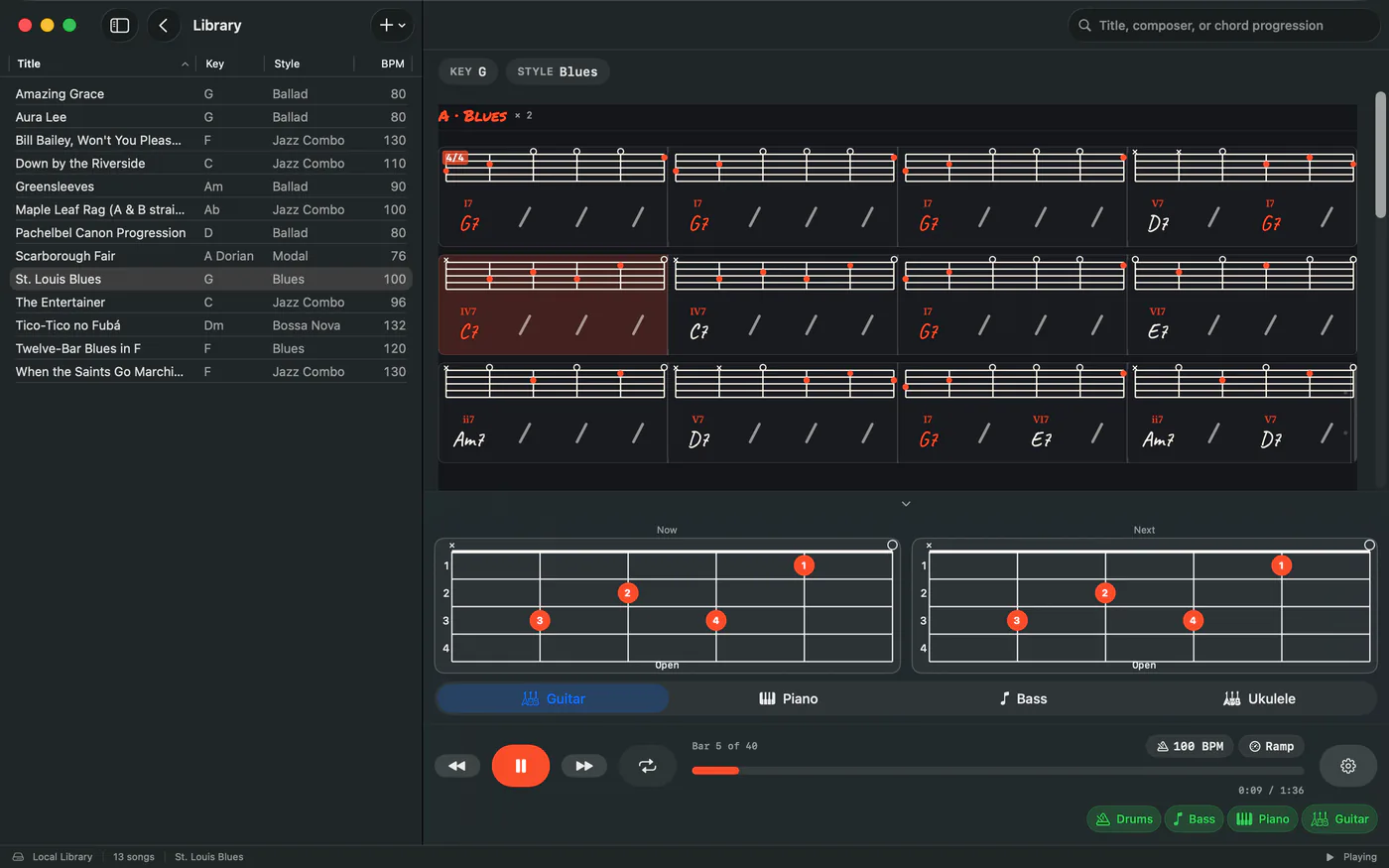
On iPhone, iPad & Mac
Play along, with this chord and the next. 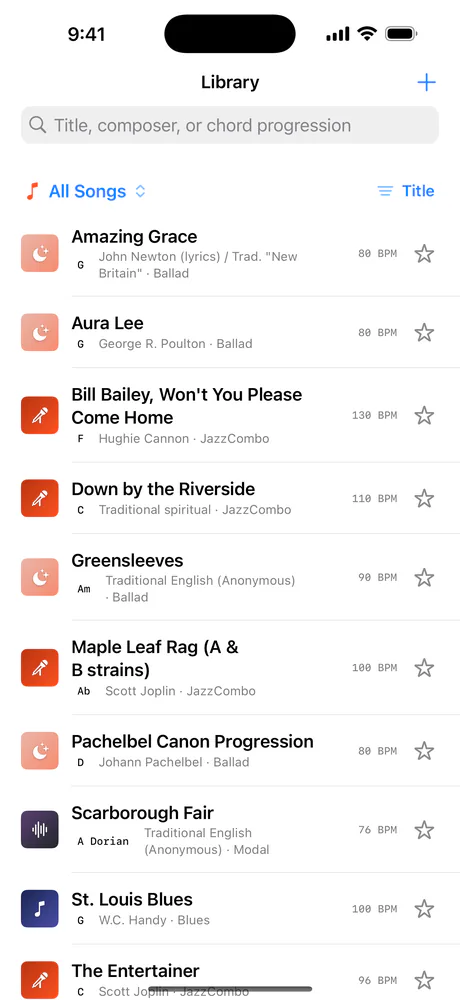
The library, with the starter songs. 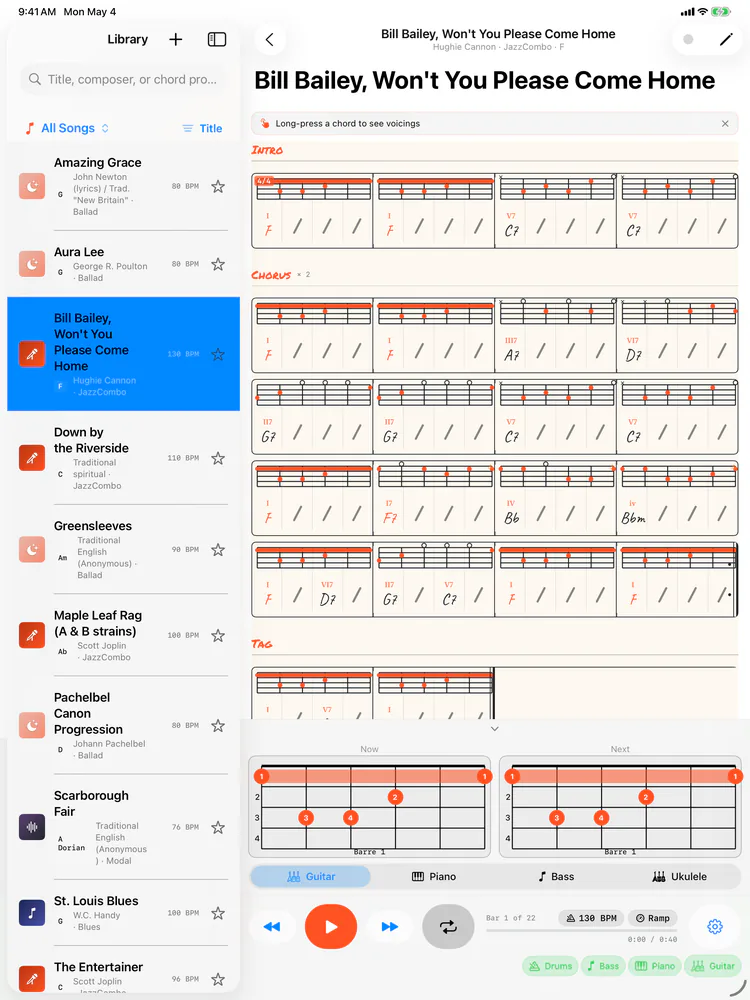
On iPad: the library beside the chart.
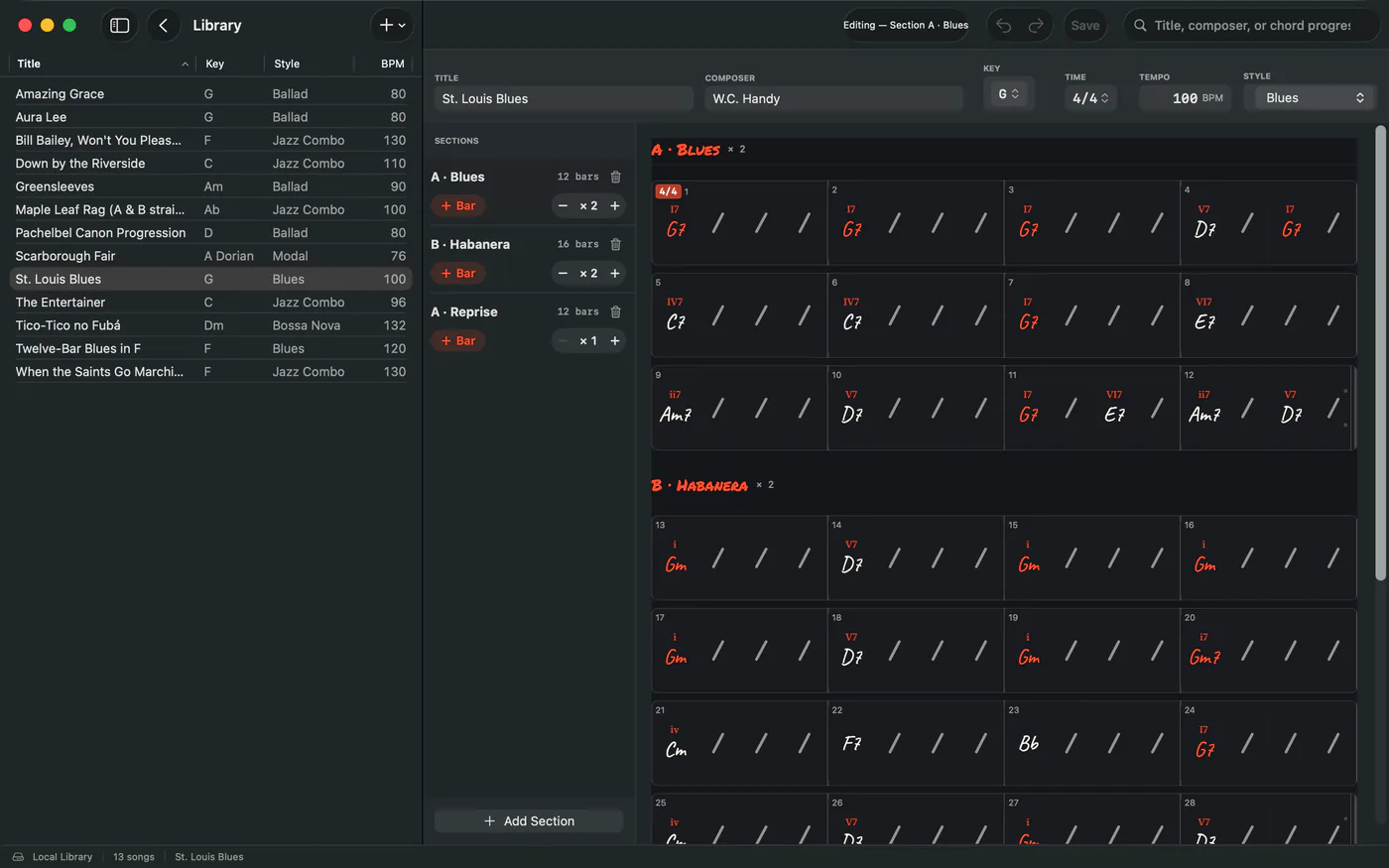
Write the chart, bar by bar.
What each part does
Bars
Tap a bar to jump there. Long-press a chord for its voicings.
Function
Roman numerals for the key. The home chord is in flame.
Now and Next
This chord and the next, on guitar, piano, bass or ukulele.
Transport
Previous bar, play, next bar, loop.
Practice
A-B loop, Tempo Ramp and the metronome.
Tempo
Tap to change it. Ramp steps it as the loop comes round.
Mixer
Drums, Bass, Piano, Guitar. Tap to mute.
Details
- Formats
- iPhone & iPad app and Mac app
- Runs on
- iPhone, iPad & Mac
- Requires
- iOS & iPadOS 17 or later. iCloud Drive is optional, for sync between your devices.
- Price
- Free to start on iPhone and iPad. Leganote Pro is a one-time $5.99 unlock with Family Sharing. The Mac app is a separate $5.99 purchase with everything included.
- Version
- 1.0.1
- Updated
- Price on Mac
- $5.99
- Version on Mac
- 1.1
- Requires on Mac
- macOS 14.0 or later
- Updated on Mac
Free on iPhone & iPad. Unlock Pro once, no subscription.
Get Leganote
More from nono.audio


Leganote