
Matcha Studio
One purchase, no subscription, no account. The half of Matcha that keeps what you play.
Studio is one purchase — no subscription, no account — and it unlocks the half of Matcha that keeps what you play. You can hear all of it first: the hub plays a built-in demo song, and Magic will arrange your own bars as many times as you like before you decide.
Open it from STUDIO in the top bar, or from Settings.
Matcha Magic — pick a mood and it lays out an intro, verses, a lift and an outro from your four bars. Regenerate for another take; each one plays in full.
Song Mode — reorder, duplicate and rename sections, set how hard each hits, swap the loop underneath. Playback crosses sections without a gap.
Chord Journey — three directions from wherever you are: stay chill, add tension, take me home. The row sits under the chord card.
Signature Packs — Rainy Taipei, Dusty Cassette, Bedroom R&B, Night Train.
Recording and Pro Export — catch four bars, then export a MIDI file (chords, bass and GM drums on their own channels), audio stems, or the whole song.
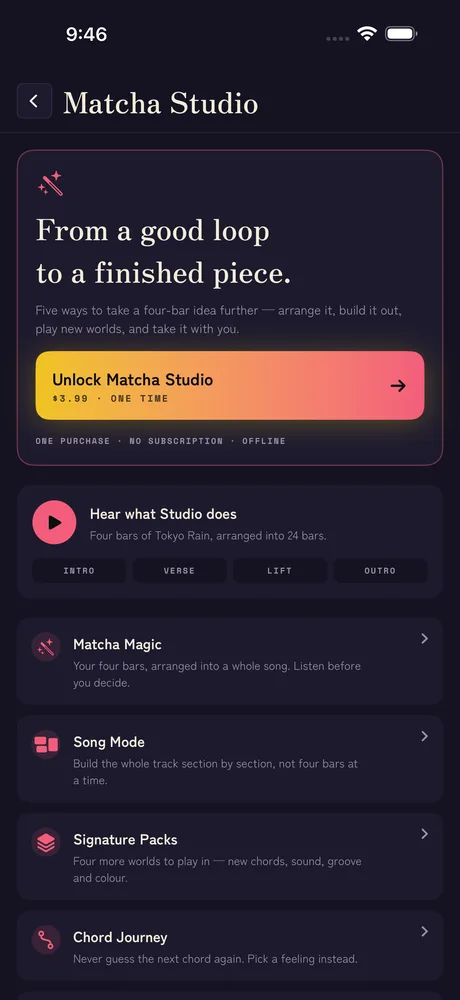
- The Studio screen plays a built-in demo song — four bars of Tokyo Rain arranged into twenty-four.
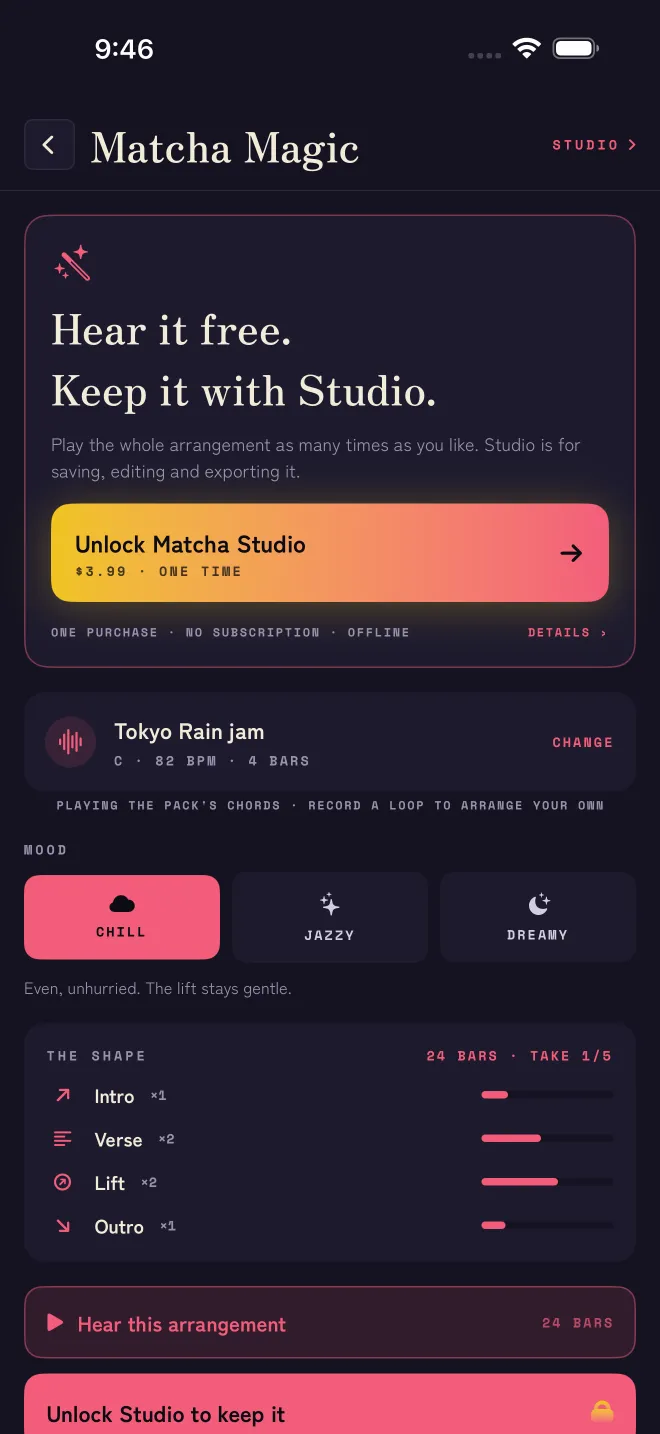
- Matcha Magic arranges your bars in full, as many takes as you like, before anything is bought.
- Any Signature Pack can be heard from the pack picker.
- Everything you make stays on your device. Nothing is uploaded, and the purchase needs no account.
The wand at the top of the playing screen opens Magic. Pick a loop (or play the pack's own chords), pick a mood, and listen. Regenerate gives you another take and Undo steps back. Listening is free; Studio is for saving, editing and exporting the song.
Chill- Even, unhurried. The lift stays gentle.
Jazzy- More motion, a brighter lift, busier bass.
Dreamy- Soft edges. Long intro, quiet outro.
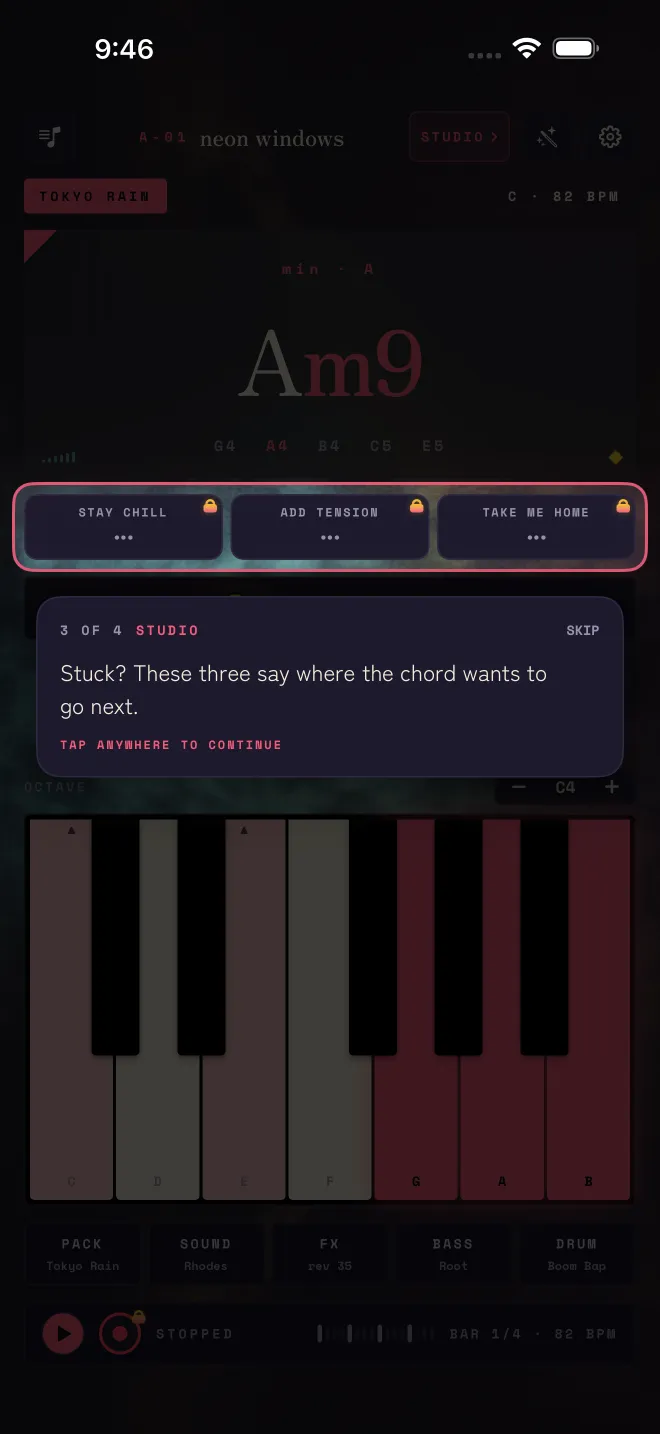
Three directions from wherever you are — STAY CHILL, ADD TENSION or TAKE ME HOME. Pick a feeling instead of a chord name. The suggestions are chosen for the key and mode of the pack you are in, and a chord you pick from the row plays like any other, so it is recorded too.
Studio also enables the AUv3 instrument. In GarageBand, Logic, AUM or Cubasis, add Matcha: Chord Synth — the same voices and packs, played from your host. Open Matcha on the device once after buying so the plugin can see the unlock.
If the plugin loads but stays silent, it will say why on screen: either Studio is not unlocked yet, or Matcha has not been opened on this device since you bought it.
Bought Studio on another device, or reinstalled? Open STUDIO from the top bar and tap Restore purchases, signed in with the same Apple Account. There is nothing else to set up.
Related
Still stuck? Write to zhi@nonoaudio.com. Support page