
Signal generator
Sine, pink noise, white noise and a sweep, for testing speakers, rooms and your own ears.
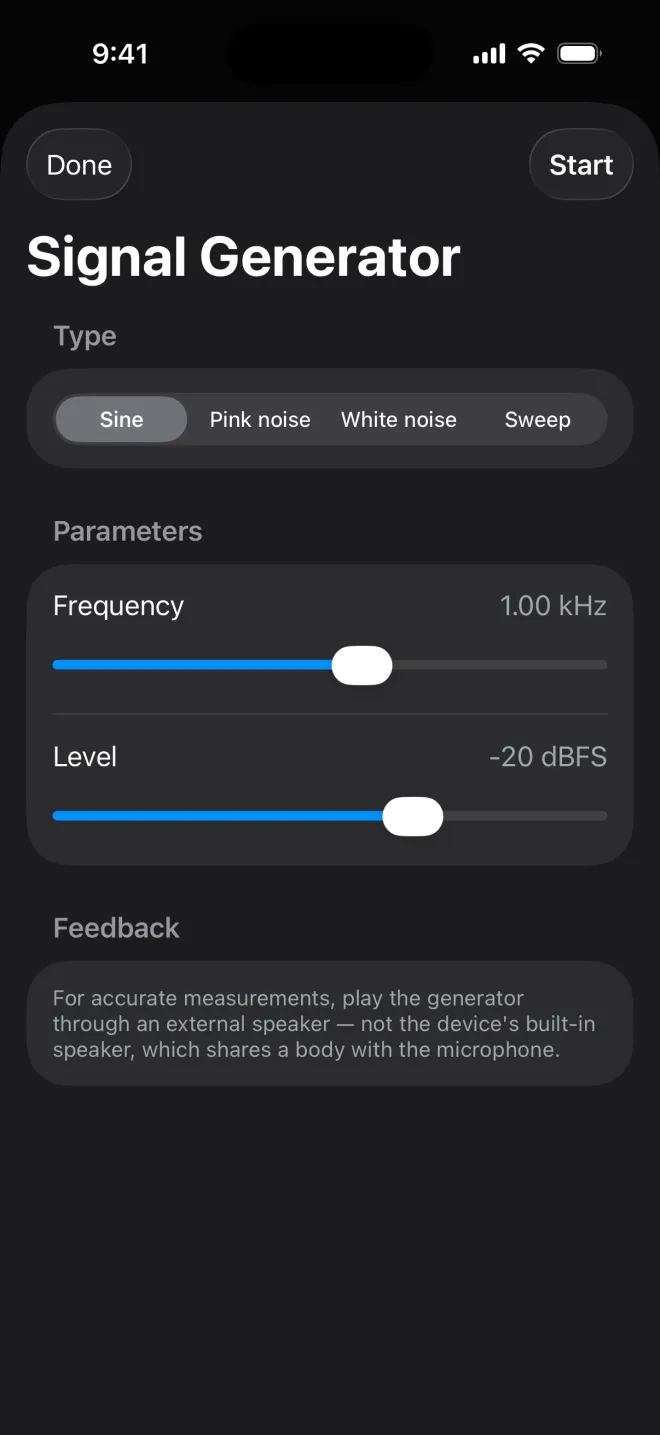
Tap Gen in the toolbar to open the Signal Generator. Choose a type, set it up, and tap Start at the top right. The generator keeps playing after you tap Done, so you can measure what it does on the workbench; Gen stays lit while it plays. Open it again and tap Stop to end it.
It is part of Pro.
Sine- One pure tone.
Frequencyruns from 20 Hz to 20 kHz on a logarithmic slider and starts at 1.00 kHz. Pink noise- Equal energy per octave, the usual signal for rooms and speakers. Uses Paul Kellett's pink-noise filter, the same one RT60 plays.
White noise- Equal energy per frequency, so it sounds bright.
Sweep- A sine gliding upwards on a logarithmic scale and repeating.
Start20 Hz – 2 kHz,End2 – 20 kHz,Duration1 to 60 s (10 s to begin with).
Every type has a Level from −60 to 0 dBFS, starting at −20 dBFS. 0 dBFS is the loudest the device can play, so start low and turn it up.
Related
- Room RT60How long a room takes to go quiet, per octave band, measured with interrupted pink noise.
- Real-time analyserThe sound split into fractional-octave bands from 20 Hz to 20 kHz, drawn as bars you read from the bottom up.
- FFTA continuous spectrum for exact frequencies: a hum, a whistle, the peak of a resonance.
Still stuck? Write to zhi@nonoaudio.com. Support page