
Spectrogram
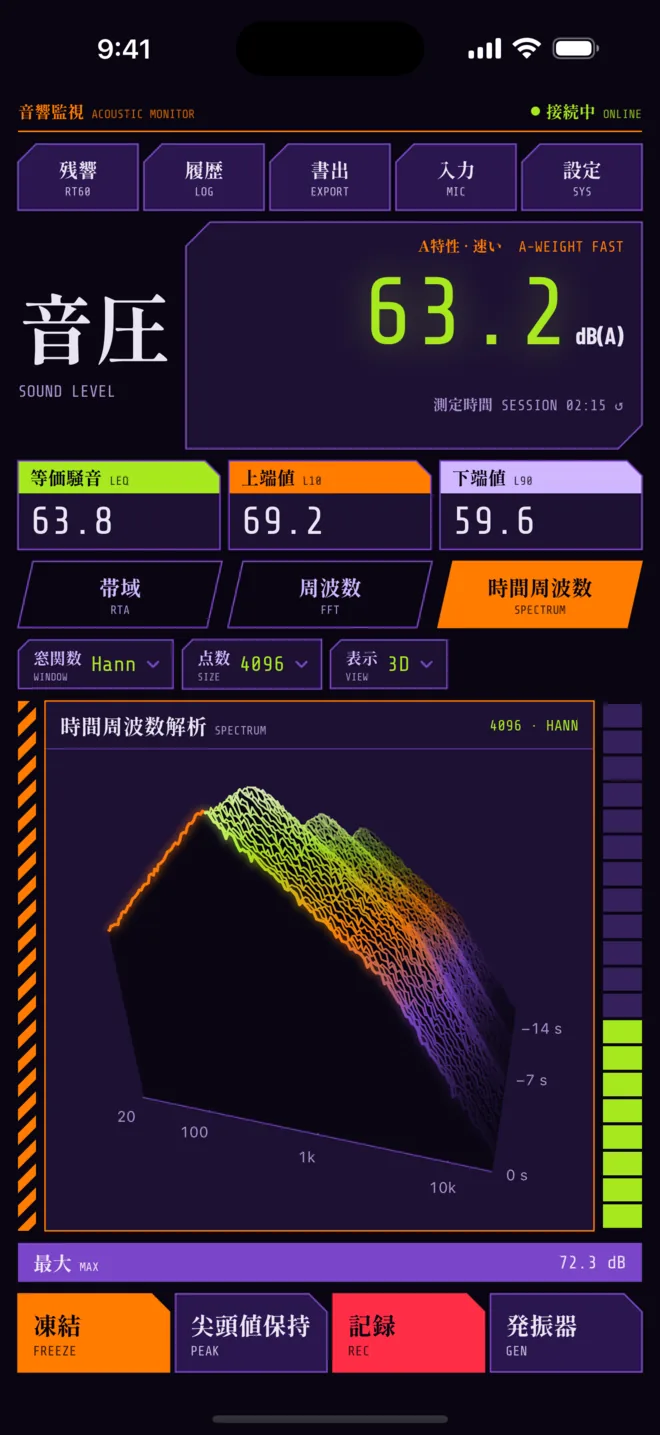
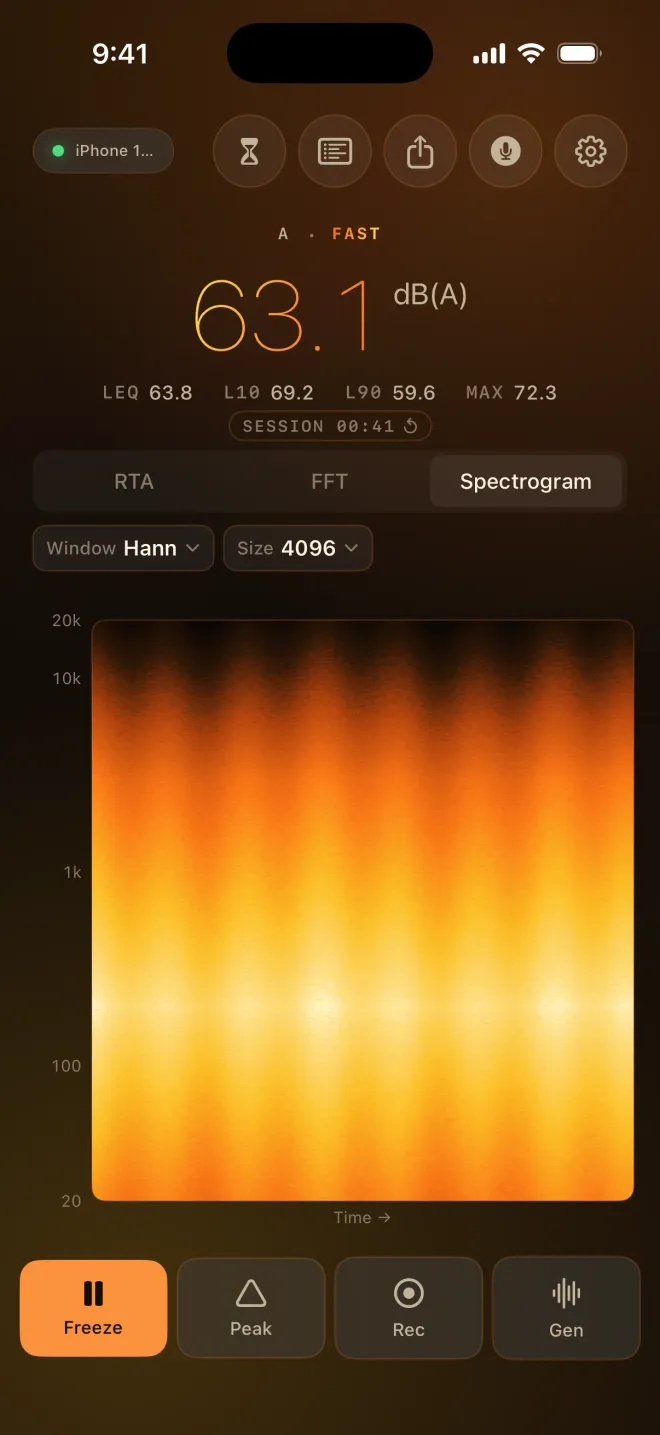
Frequency over time, as a 3D waterfall you can turn or a flat rolling heatmap, so you can see how a sound changes, not just where it sits.
The spectrogram keeps a stretch of recent sound on screen. The View chip picks how: 3D, the default, or 2D.
It is part of Pro. Without Pro, the Spectrogram tab shows the 3D waterfall blurred and slowly turning under an Unlock Pro card, which opens the Pro sheet. If no sound is coming in, the preview plays a built-in demo and says DEMO in the corner.
Each moment of sound becomes one ridge line: frequency runs across the front, from 20 Hz on the left, and older lines step back. A room resonance shows up as a ridge that stays put line after line; a decay as a slope that sinks toward the back.
Drag sideways to turn it and up or down to tilt it. Double-tap to go back to the starting angle.
The heatmap: frequency runs up the side, 20 Hz to 20 kHz; time runs left to right, newest on the right; brightness is level. A held note becomes a horizontal line, a door slam a vertical flash, a decaying room a smear that fades.
Both views are built from the same FFT, so the Window and Size chips work here too. A larger size gives finer frequency lines and a slower picture.
Each theme brings its own spectrogram palette, and a level is the same colour in 2D and 3D: cyan in Studio Cyan, amber in Solar Flare, cyan through violet to pink in Aurora, a warm yellow-to-red scale in Graphite Safety, pale blue to navy in Arctic Cobalt, and violet through orange to lime in Tactical Violet.
Freeze stops the picture so you can study it; recording on this view saves the spectrogram with the audio.
Related
Still stuck? Write to zhi@nonoaudio.com. Support page